0%

A 5G Kids Smartwatch is a wearable device designed to keep children connected while giving parents practical safety tools. It usually combines a 5G modem, GPS, voice calling, messaging, and an emergency contact button. Some models also include geofencing, video calls, fitness tracking, and school-friendly controls. The watch connects to a mobile network through an eSIM or nano-SIM. It can then send location data to a parent’s smartphone app.

It is not simply a smaller smartphone. Its interface uses a small touchscreen, limited apps, and simplified menus. A child might tap one button to call a parent, while the GPS quietly updates their location during a walk home. Neil Shah, Vice President at Counterpoint Research, has described 5G as “more than a speed upgrade; it enables faster, more responsive connected experiences.” That idea explains the watch’s appeal. Video calls may load faster, and location updates can feel more immediate. However, network coverage still matters. A 5G label does not guarantee 5G service everywhere.

Battery life can also disappoint. Frequent location checks, bright screens, and video calls may drain power before bedtime. Parents should examine privacy settings, contact approval, data storage, and subscription costs. These details often matter more than peak download speed. The technology sounds reassuring, but it cannot replace responsible supervision. A 5G Kids Smartwatch may support family communication, yet its real value depends on careful setup, reliable service, and honest expectations. That balance deserves closer attention.
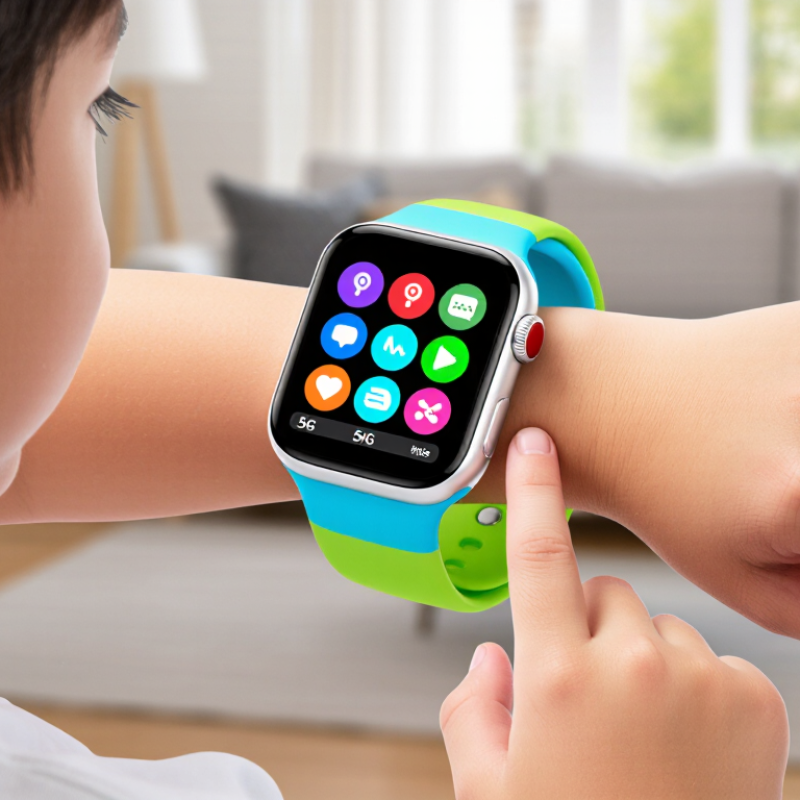
What Is a 5G Kids Smartwatch and How Does It Work?

What a 5G Kids Smartwatch Is and What Makes It Different

A 5G kids smartwatch is a wearable phone designed for children, with cellular connectivity built into the watch. Unlike a basic GPS tracker, it can support voice calls, messages, location sharing, and selected online services without staying near a parent’s phone. Its 5G connection may deliver faster data and lower delay, but performance depends on local coverage, network compatibility, and the device’s supported bands. The label alone proves little.

What makes it different is the balance between communication, supervision, and independence. Parents can usually manage approved contacts, view location updates, set safe-zone alerts, and receive an emergency notification. Children can contact trusted adults from a wrist-sized screen during school pickup or an unexpected change of plans. A built-in GPS system can be useful, yet indoor accuracy may weaken near thick walls. Battery life can also fall quickly when location tracking is frequent. That part is easy to overlook.

Tips: Check coverage before buying, then confirm the watch supports local network bands. Review privacy settings and disable unnecessary features. Test calling, GPS accuracy, charging time, and emergency tools together. Explain when location sharing is appropriate, rather than treating the watch as invisible supervision. I would also question exaggerated speed claims, because a faster connection does not guarantee better safety. Children may still lose the watch, forget to charge it, or misunderstand an alert. That practical weakness matters.

How 5G Connectivity Powers Calls, Messages, and Location Sharing

What Is a 5G Kids Smartwatch and How Does It Work?

A 5G kids smartwatch combines a cellular modem, SIM or eSIM, microphone, speaker, and positioning sensors. It connects directly to a mobile network, rather than depending only on a nearby phone. GSMA’s The Mobile Economy 2024 reported about 1.6 billion 5G connections worldwide by the end of 2023. That expanding infrastructure supports faster data exchange, although coverage still varies by location.

Calls travel through the watch’s cellular connection, often using voice-over-LTE or newer 5G network services. A child can contact approved guardians through configured numbers. Messages may arrive as short texts, voice clips, or app notifications. The process feels immediate. However, speed depends on network congestion, indoor signal strength, and the service plan. A 5G label does not guarantee perfect communication everywhere.

Location sharing uses several signals together. The watch may combine GNSS satellite data, nearby Wi-Fi information, and cellular positioning. It then sends coordinates to an authorized guardian through mobile data. Ericsson’s Mobility Report has consistently identified mobile data growth as a major driver of network development, but location accuracy remains uneven near tall buildings or indoors. Parents should also check battery settings, update permissions, and emergency-contact controls. The technology is useful, not magical. A watch can share an incorrect or delayed location, especially when its battery is low.

Key Hardware and Safety Features Built for Children

A 5G kids smartwatch combines a small mobile computer with child-focused safety controls. Its 5G modem connects through a compatible cellular network, allowing calls, messages, location updates, and voice notes without a nearby phone. A rechargeable battery, GPS receiver, microphone, speaker, touchscreen, and motion sensors support these functions. Many models also include Wi-Fi and Bluetooth for indoor positioning or accessory connections.

Safety hardware matters more than speed. A durable case should resist drops, while a water-resistant design helps during handwashing or sudden rain. Soft, skin-friendly materials reduce irritation during daily wear. Parents can usually create approved contact lists and manage communication permissions. An SOS button may send an alert with the child’s location. Some systems provide geofencing, notifying caregivers when a child leaves a chosen area.

Privacy requires careful attention. Location sharing should be limited to trusted adults, with strong passwords and secure account settings. A visible microphone or camera indicator is useful. Children should understand when these tools are active. GPS can drift near tall buildings, and 5G coverage may vary indoors. That matters. A smartwatch should never replace supervision or a clear family safety plan. Battery testing is also important, because frequent location updates can drain power faster than expected. A daily charging routine may be necessary, although children may forget it sometimes.

What Is a 5G Kids Smartwatch and How Does It Work? - Key Hardware and Safety Features Built for Children

Category Key Dimension How It Works Child-Focused Value Typical Considerations
5G Connectivity Cellular data connection using compatible 5G networks The watch communicates with a mobile network through an embedded or removable SIM, allowing calls, messages, location updates, and cloud services without a nearby phone. Supports communication and selected online functions while the child is away from home Wi-Fi. Coverage, speed, supported bands, and service availability vary by carrier and location.
Fallback Connectivity 4G LTE, 3G, or 2G support may be included When 5G is unavailable, the watch can use an older compatible cellular network if the hardware and service plan support it. Helps maintain basic communication in areas without reliable 5G coverage. Legacy networks are being retired in some regions, so compatibility should be checked before purchase.
Voice and Video Communication Microphone, speaker, and sometimes a front-facing camera Audio or video is transmitted through the cellular or Wi-Fi connection using approved contacts or a companion application. Allows children to contact caregivers without carrying a separate smartphone. Camera and calling permissions should be controlled by a parent or guardian.
GNSS Location GPS, often combined with other satellite systems The watch calculates its position from satellite signals and may improve indoor or urban accuracy with cellular and Wi-Fi information. Enables caregiver-requested location checks and location-based alerts. Accuracy can decrease indoors, underground, near tall buildings, or in areas with weak signals.
Geofencing Virtual safe zones set in a caregiver application The system compares the watch location with a defined area and sends an alert when the boundary is crossed. Provides an additional awareness tool for school, home, or other regular locations. Alerts depend on location accuracy, network availability, battery level, and app settings.
Emergency Assistance Dedicated emergency or SOS control A press or press-and-hold action can contact selected guardians and may share the watch's current location. Offers a simple way for a child to request help during an urgent situation. It is not a replacement for local emergency services; contact behavior differs by device and region.
Parental Contact Controls Approved-contact list and communication permissions A caregiver manages who can call, message, or interact with the watch through a protected account or companion app. Reduces unwanted contact and limits communication to trusted people. Caregivers should use strong passwords, multi-factor authentication when available, and review contacts regularly.
School or Focus Mode Scheduled restrictions for calls, notifications, and apps The watch automatically limits selected functions during predefined times while preserving permitted features such as emergency access. Helps reduce classroom distractions and supports consistent routines. Settings should follow the school’s rules and be reviewed when schedules change.
Activity Sensors Accelerometer and sometimes gyroscope or optical sensors Sensors detect movement and can estimate steps, activity duration, or selected wellness metrics. Encourages age-appropriate movement and provides basic activity feedback. These measurements are estimates and are not medical diagnoses or clinical monitoring.
Health and Wellness Data Possible heart-rate or sleep-related measurements Optical and motion sensors collect data that software may use to generate wellness summaries. Can help families discuss general routines such as activity and sleep habits. Accuracy varies with fit, movement, skin contact, software, and device design; medical decisions require qualified professionals.
Battery System Rechargeable lithium-ion or lithium-polymer battery The battery powers the display, sensors, radio modules, and processor, and is recharged through a cable or charging dock. Enables portable use throughout the day. 5G use, frequent location updates, video calls, bright displays, and weak signals can reduce runtime.
Durability Protective case, sealed ports, and water-resistance rating where provided The enclosure helps protect internal components from everyday impacts, dust, or water exposure according to its tested rating. Better suited to active daily use than delicate consumer electronics. Water resistance is not permanent; swimming, hot water, salt water, impacts, and worn seals may exceed the rating.
Display and Controls Touchscreen, physical buttons, or a combination The child uses on-screen controls and dedicated buttons to access approved features and initiate assistance functions. Simple controls can support independent use while keeping important actions accessible. A smaller screen may limit text entry, and brightness should be set comfortably for the child.
Data Protection Account authentication, encrypted communication, and software updates where supported Security features help protect account credentials, location data, messages, and device communication during storage or transmission. Reduces privacy risks associated with a connected device that handles a child's information. Caregivers should install updates, limit app permissions, use reputable networks, and review privacy policies.
Privacy Controls Camera, microphone, location, and data-sharing permissions Caregivers can restrict or disable selected sensors and services through device settings or a companion application. Helps families balance safety functions with the child's privacy. Location tracking should be transparent, age-appropriate, and limited to a legitimate safety purpose.
Software Platform Embedded operating system linked to a caregiver application The watch handles local functions, while the companion app manages contacts, settings, alerts, location requests, and updates. Allows adults to configure the watch remotely and supervise essential features. Some functions require a compatible phone, an internet connection, an account, or a paid cellular plan.
Child-Safety Design Smaller form factor, adjustable strap, simplified interface, and restricted functions The hardware and software are designed around a child's wrist size, basic needs, and supervised connectivity. Supports communication and safety without exposing the child to every feature of a full smartphone. Fit, comfort, skin sensitivity, age suitability, and local regulations should be considered before use.

Important: Specifications and available functions vary by model, region, network provider, software version, and subscription. A 5G kids smartwatch should complement, not replace, age-appropriate supervision and conversations about digital safety.

How Parents Manage the Watch Through Companion Apps

A 5G kids smartwatch is a compact cellular computer worn on a child’s wrist. It uses a mobile connection, GPS, Wi-Fi, and Bluetooth to share information with a companion app. The app becomes the parent’s control room. Parents can approve contacts, view location updates, set safe zones, and activate school-time limits. A simple map may show a child leaving school, while an alert appears after crossing a chosen boundary.

The GSMA Mobile Economy 2024 report projects that 5G will represent 56% of global mobile connections by 2030. Faster networks can support quicker location updates and more reliable voice communication, although coverage still varies by neighborhood. Through the app, parents can also check battery levels, manage permissions, install updates, and review emergency settings. These controls require careful setup. Too many alerts become noise.

The setup is not flawless. GPS may drift beside tall buildings, and a low battery can stop location sharing. Parents should test the watch near home, school, and common travel routes. They should also explain each feature to the child. The NIST IoT Cybersecurity Baseline recommends strong authentication, secure updates, and data protection for connected devices. Those principles matter here. A private location history deserves serious care. I sometimes find that convenience encourages overchecking, which may weaken trust. Better settings are limited, clear, and easy to revisit.

Privacy, Battery Life, and Everyday Use Considerations

What Is a 5G Kids Smartwatch and How Does It Work?

A 5G kids smartwatch combines mobile connectivity, location tools, and child-friendly controls in a small wearable. It uses a cellular plan to send messages, make approved calls, and share location data without a nearby phone. Faster networks can reduce delays, but performance still depends on coverage, network congestion, and indoor signal strength. Some watches may quietly switch to slower connections. That is normal.

Privacy requires careful setup. Parents should review location permissions, contact lists, microphone access, and photo features before daily use. Use strong account passwords and enable two-step verification when available. Avoid placing unnecessary personal details in the child’s profile. Location sharing can support safer journeys, yet constant tracking may affect a child’s sense of independence. Honest conversations matter. I have found that simple rules work better than hidden monitoring.

Battery life varies with screen brightness, calling frequency, GPS updates, and 5G searching. A busy school day may drain the battery faster than expected. Charging overnight is convenient, but checking the battery before leaving remains sensible.

Tips: Set location updates only as often as needed. Teach the child to recognize unknown callers. Test calls from indoors, outdoors, and during travel. Keep emergency contacts current. Turn off unused features, such as animated displays or frequent location refreshes. A small charging routine helps, although children may forget it sometimes. Parents should check privacy settings monthly because software updates can change available controls.

FAQS

What is a 5G kids smartwatch?

It is a wearable phone with cellular connectivity for children. It can support calls, messages, location sharing, and selected online services. A nearby parent’s phone is not always required. The label proves little.

How does the watch connect to mobile networks?

It uses a cellular modem and a SIM or eSIM. The watch may connect through 5G or compatible older networks. Performance depends on coverage, network bands, and congestion. Faster is not always better.

Can children make calls without a smartphone?

Usually, yes. Parents can approve trusted numbers and manage communication permissions. Children can call during school pickup or a changed travel plan. The watch still needs network service and battery power.

How accurate is location sharing?

The watch may combine satellite positioning, Wi-Fi, and cellular signals. Outdoor accuracy is often better than indoor accuracy. Thick walls and tall buildings can cause delays or location drift. Sometimes, the map is wrong.

What safety features should parents check?

Useful features include approved contacts, safe-zone alerts, and an emergency button. Some systems send an alert with the child’s location. Parents should test these tools before depending on them. Do not assume every alert arrives instantly.

Does frequent location tracking affect battery life?

Yes. Frequent updates can drain the battery faster than occasional checks. A child may need to charge the watch every day. Forgetting happens. A simple charging routine helps.

Is a 5G kids smartwatch private?

Privacy depends on account settings, permissions, and the people receiving location data. Limit sharing to trusted adults and use strong passwords. Disable unnecessary features when possible. Children should know when tracking tools are active.

What should parents test before buying one?

Check local coverage and supported network bands first. Then test calls, messages, location accuracy, charging time, and emergency functions. Try the watch near walls and outdoors. I would question exaggerated speed claims. A safety plan still matters.

Conclusion

A 5G Kids Smartwatch is a wearable device designed to help children stay connected while giving parents practical tools for communication and supervision. Unlike basic watches, it uses 5G connectivity to support clearer calls, faster messaging, and more responsive location sharing when compatible network coverage is available. Its child-focused design may include a simple touchscreen, emergency contact access, GPS support, durable materials, and safety features that make everyday use easier and more reassuring.

Parents typically manage the watch through a companion app, where they can add approved contacts, review location information, set safe zones, adjust school-time settings, and monitor selected activity details. Privacy controls are important, so families should understand what information is collected, how it is shared, and how account access is protected. Battery life can vary depending on network strength, location updates, screen use, and calling frequency. With suitable settings and regular charging, the watch can provide a convenient balance between independence, communication, and responsible parental oversight.

Clara

Clara

Clara is a professional marketing specialist with a strong understanding of modern business strategy, customer needs, and product value. As a dedicated contributor to the company’s website, she regularly creates insightful blog articles that explain industry trends, practical solutions, and the......