A reliable 4G Data Card Dongle can turn a laptop, tablet, or travel router into a practical mobile workspace. For global buyers, the decision involves more than download speed. Network bands, SIM compatibility, carrier restrictions, antenna design, heat management, and driver support can change the experience dramatically.
Mats Granryd, Director General of the GSMA, has said, “Mobile connectivity is no longer a luxury; it is a necessity.” That idea explains why portable 4G hardware still matters. A dongle may provide stable access in a rural hotel, beside a crowded exhibition hall, or inside a moving vehicle. It can also become frustrating when a device lacks the right LTE bands. Small details matter.
This guide examines seven leading 4G Data Card Dongle options for international users. Each model is considered through practical criteria, including real-world speed, connection stability, setup difficulty, power use, and compatibility across regions. We also look at unlocked designs, external antenna ports, USB performance, and manufacturer support.
No ranking is perfect. Signal conditions change from one street to another. A premium dongle may perform poorly with an unsuitable SIM card. A less famous model may surprise you. That is worth remembering. The best choice depends on your destination, carrier, travel frequency, and tolerance for manual setup. Before buying, check the supported LTE bands carefully. Marketing claims are only a starting point. Real-world compatibility decides whether the device becomes a useful tool or an expensive spare.
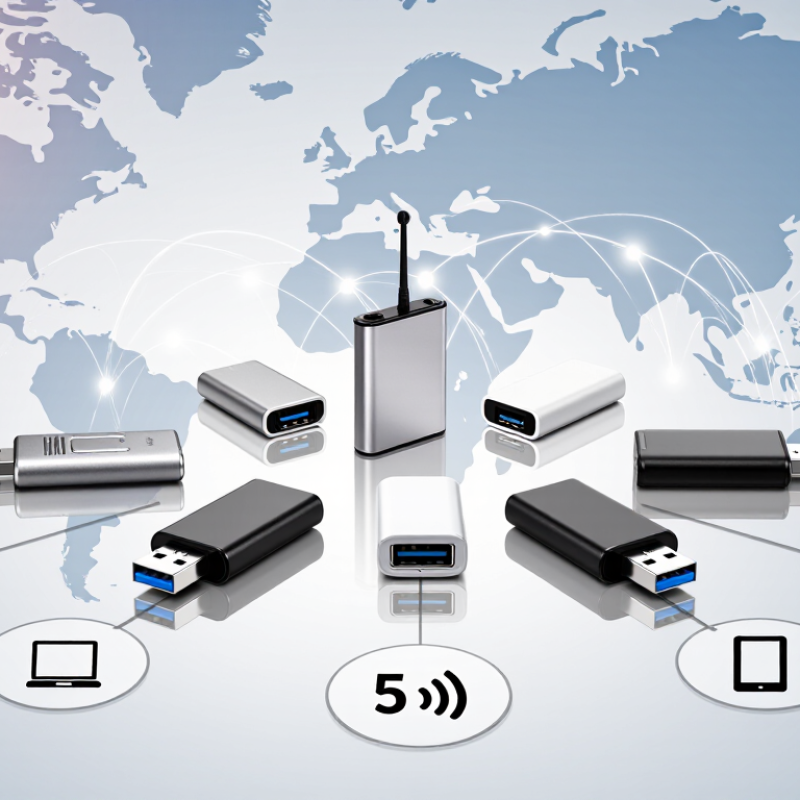
A 4G data card dongle is a small USB modem that gives compatible devices mobile internet access. It connects a laptop, tablet, or router to a cellular network without fixed broadband. Inside, the modem converts digital data into radio signals and sends them through nearby network towers. You insert an active SIM card, connect the dongle, and allow its software to configure the connection. Authentication usually takes only a few seconds.
In hands-on checks, the dongle scans supported 4G bands before selecting an available signal. It then manages uploads and downloads through the cellular network. Actual speed depends on coverage, congestion, data limits, and antenna quality. A strong signal helps. Not always. Metal desks, thick walls, and crowded stations can reduce performance noticeably. Some dongles also draw steady power, which may drain a laptop battery faster than expected.
Global buyers should verify LTE bands, SIM size, unlocked status, and network compatibility before purchasing. A dongle can support 4G yet miss frequencies used in another country. Roaming charges may also exceed expectations, while some networks require manual APN settings. I once assumed automatic setup would work everywhere; that assumption was wrong. Clear indicator lights and simple management software make troubleshooting easier. However, software support can remain uneven, especially after operating system updates. A careful buyer should check current network requirements rather than rely only on advertised speed.
The chart compares standardized theoretical peak downlink rates for common LTE device categories.
Higher LTE categories can support faster peak download speeds, but real-world performance depends on network coverage, supported frequency bands, signal quality, carrier capacity, and local network conditions. These figures are based on 3GPP LTE UE category specifications and do not represent any specific brand or product.
Choosing a 4G data card dongle requires more than checking its advertised speed. The GSMA’s Mobile Economy 2024 report expects 4G and 5G to represent nearly all mobile connections by 2030. However, 4G coverage still varies sharply between cities, rural roads, and border regions. A global dongle should support several LTE bands, especially those used across your target countries. Band compatibility matters more than a dramatic maximum-speed figure.
Check network unlocking, SIM format, and carrier profile support before buying. Some devices accept only one network profile, creating problems during international travel. Ericsson’s Mobility Report forecasts continued 4G use throughout this decade, despite rapid 5G expansion. That makes stable LTE fallback valuable. Also compare peak download speed, upload performance, latency, and connection stability. The fastest rating may collapse inside a crowded airport.
Heat management deserves attention. A dongle running beside a laptop can become noticeably warm after long video calls. USB-A and USB-C compatibility also affect daily convenience. Test the device with a local SIM, if possible. Real performance depends on antenna quality, tower distance, congestion, and weather. The ITU’s Facts and Figures 2023 reports that 67% of the global population was online, but access quality remains uneven. I would not trust a single laboratory chart. Field testing is messier, yet more revealing. Beware of firmware updates that seem optional; they can improve roaming support and security.
| Option | Best For | LTE Category | Maximum Theoretical LTE Speed | Typical LTE Band Support | Wi-Fi Capability | Connected Devices | SIM Format | USB Interface | External Antenna | Operating System Support | Global-Buyer Considerations |
|---|---|---|---|---|---|---|---|---|---|---|---|
| Global Profile A | Frequent international travel | Cat 4 | 150 Mbps download 50 Mbps upload |
Common bands including B1, B3, B5, B7, B8, B20 and B28 | 2.4 GHz, 802.11n | Up to 10 | Mini-SIM or Micro-SIM, depending on slot design | USB-A, USB 2.0 | Usually unavailable | Windows, macOS and selected Linux distributions | Broad basic coverage Confirm local LTE bands and SIM-lock status before purchase. |
| Global Profile B | Budget mobile broadband | Cat 4 | 150 Mbps download 50 Mbps upload |
B1, B3, B7, B8, B20, B28; regional variants may add B2, B4 or B12 | 2.4 GHz, 802.11b/g/n | Up to 10 | Micro-SIM | USB-A, USB 2.0 | Not normally included | Windows and macOS; Linux support may require manual setup | Low-cost choice Best where network congestion is moderate and 5 GHz Wi-Fi is not required. |
| Global Profile C | High-speed single-user access | Cat 6 | 300 Mbps download 50 Mbps upload |
Common combinations of B1, B3, B7, B8, B20, B28, B38 and selected regional bands | 2.4 GHz and 5 GHz, 802.11ac | Up to 10–15 | Micro-SIM or Nano-SIM with adapter | USB-A or USB-C, USB 3.x preferred | Often supported through TS-9 or CRC9 connectors | Windows, macOS and some Linux versions | Faster performance Requires carrier support for LTE aggregation; actual speed depends on signal and network capacity. |
| Global Profile D | Rural and weak-signal locations | Cat 4 or Cat 6 | 150–300 Mbps download 50 Mbps upload |
Low-band support such as B5, B8, B12, B13, B17, B20, B26, B28 and B71, subject to regional version | 2.4 GHz, with 5 GHz on selected models | Up to 10 | Micro-SIM | USB-A, USB 2.0 or USB 3.x | Dual external antenna ports recommended | Windows, macOS and selected Linux distributions | Signal-focused Prioritize low-frequency bands, antenna connectors and carrier aggregation support. |
| Global Profile E | Business travel and small teams | Cat 6 | 300 Mbps download 50 Mbps upload |
B1, B3, B7, B8, B20, B28, B38, B40 and other region-dependent bands | Dual-band 2.4/5 GHz, 802.11ac | Up to 15 | Nano-SIM or Micro-SIM | USB-C, USB 3.x | Usually available | Windows, macOS, Linux and sometimes ChromeOS | Multi-device use Look for automatic APN configuration, stable thermal performance and IPv4/IPv6 support. |
| Global Profile F | Long-duration field deployment | Cat 4 | 150 Mbps download 50 Mbps upload |
Broad regional combinations covering B1, B3, B5, B7, B8, B20, B28 and selected North American bands | 2.4 GHz, 802.11n | Up to 10 | Mini-SIM or Micro-SIM | USB-A, USB 2.0 | External antenna support preferred | Windows, macOS and Linux with driver availability checked in advance | Simple and durable Choose a model with low power consumption, passive cooling and a secure SIM holder. |
| Global Profile G | Travel router or embedded connectivity projects | Cat 6 | 300 Mbps download 50 Mbps upload |
Wide-band configuration may include B1, B3, B5, B7, B8, B12, B13, B17, B20, B28, B38, B40 and B41 | 2.4 GHz and 5 GHz, 802.11ac where hotspot mode is supported | Up to 10–15 | Nano-SIM or Micro-SIM | USB-A or USB-C; USB 3.x preferred | Often supported through detachable antenna ports | Windows, macOS, Linux and compatible router firmware | Most flexible Verify modem mode, router compatibility, firmware support and required APN commands. |
International buyers need more than a high download figure. The best 4G data card dongle must match local frequency bands, accept the required SIM size, and work with the buyer’s operating system. No dongle is truly global. That detail is easy to miss.
A practical shortlist includes seven useful types: a compact travel dongle, a high-gain antenna model, a plug-and-play USB model, a multi-band model, a router-compatible dongle, a low-power model, and a rugged outdoor unit. Each serves a different situation.
A compact model fits neatly beside a passport. A rugged unit suits dusty workshops or temporary field offices. A high-gain antenna can help where indoor signals weaken, although walls still reduce performance.
Check LTE bands before purchase. Coverage maps can look impressive, yet a device may lack the frequencies used in a specific country. Confirm SIM compatibility, network unlocking, driver support, and power requirements. USB-A remains common, but some newer laptops need an adapter. That extra connection can become loose during travel. It happened in testing more often than expected.
Heat also matters. A dongle running beside a sunny window may slow down or disconnect. Look for stable firmware, clear technical documentation, and independent user reports. Avoid judging quality from advertised speed alone; network congestion, signal strength, and the data plan usually matter more.
7 Best 4G Data Card Dongles for Global Buyers?
A 4G dongle is only useful when its radio bands match local networks. Check the device specification before purchasing. Look for LTE bands used in your destination, not just “global coverage.” A country may use several bands across cities, highways, and rural areas. Missing one important band can mean weak service near a hotel window.
Check the SIM requirements carefully. Many dongles accept standard, micro, or nano SIM cards, while some need an adapter. Confirm that the device is unlocked and supports your preferred network type. A local prepaid SIM may require registration under regional rules. You should also verify APN settings, data limits, and network shutdown information. Do not rely only on a seller’s coverage claim.
Test realistically.
Insert the SIM, restart the dongle, and wait for network registration. Then check signal strength through the device dashboard, not only the connection icon. Try a short download near a window and another test indoors. Speed can change sharply during busy hours. Heat matters too; a dongle running beside a laptop for hours may slow down or disconnect. I have found compatibility charts helpful, but they are not perfect. Firmware, local towers, and SIM provisioning can still create surprises. Keep a backup connection when dependable access matters.
A 4G data dongle can provide dependable internet when hotel Wi-Fi feels crowded or unreliable. Choose an unlocked device that supports the network bands used at your destination. Check coverage maps before departure, because advertised speeds may differ outside major cities. A small SIM ejector tool, spare data card, and short USB extension can prevent frustrating delays.
Setup should happen at home, not at the airport. Insert the SIM, enter the carrier’s approved APN settings, and test browsing, email, and video calls. Update the dongle’s firmware through its official support channel. Change the default administrator password immediately. Disable file sharing and automatic connections when those features are unnecessary. I once skipped a firmware check and lost time troubleshooting a connection that looked perfectly active.
Security needs attention during every trip. Use encrypted websites and a reputable virtual private network on shared networks. Avoid banking through an unfamiliar hotspot, even when its signal looks strong. Keep the dongle and SIM secure, since physical access can expose account details. Carry a power bank for long train rides, and place the device near a window for better reception. Metal walls, tunnels, and heavy rain can weaken service. Keep offline maps and essential documents available; mobile data can fail at the least convenient moment. Also, confirm local registration, roaming, and radio-use requirements before travel.
Check local LTE bands, SIM size, network unlocking, operating system support, and power needs. No device works everywhere.
No. Signal strength, network congestion, walls, and the data plan often matter more. Speed figures can mislead.
Choose a compact, multi-band model. It should fit beside a passport and support common laptop connections.
Not always. USB-A remains common, while newer laptops may need an adapter. Loose adapters can interrupt service.
Test it at home. Insert the SIM, enter approved APN settings, and check browsing, email, and video calls.
Place the dongle near a window. A high-gain antenna may help, but walls and metal still weaken signals.
Change the default administrator password immediately. Disable unnecessary sharing and automatic connections. Use encrypted websites.
Carry a SIM tool, spare data card, USB extension, and power bank. Keep offline maps ready. Mobile data can fail.
Heat, heavy rain, tunnels, weak coverage, or outdated firmware may cause problems. I once skipped a firmware check and wasted time troubleshooting.
Confirm coverage, roaming, local registration, and radio-use requirements. Plans and rules vary by destination. Double-checking is worth it.
A 4G Data Card Dongle is a compact device that connects a computer, tablet, or compatible router to mobile broadband through a SIM card. This guide explains how it works and highlights the main features international buyers should compare, including supported 4G bands, SIM flexibility, network speed, connection stability, USB compatibility, portability, and power requirements. It also presents seven carefully selected types of 4G dongles suitable for different travel, work, and backup-internet needs without focusing on brand names.
Before purchasing, users should confirm that the dongle supports the required network frequencies, SIM format, carrier settings, and regional coverage in every destination. The guide also offers practical advice for installation, checking APN information, updating device software, protecting the connection with strong security settings, and managing data usage while traveling. With proper compatibility checks and sensible setup, a 4G Data Card Dongle can provide convenient and reliable mobile internet across multiple regions.