Choosing the best WiFi Range Extender from China requires more than comparing prices or advertised speeds. Many models look similar, yet their real performance can differ sharply across walls, floors, and crowded apartment networks. A reliable choice should balance coverage, stability, security, warranty support, and compatibility with your existing router.
This guide examines practical factors that matter at home. We consider dual-band or tri-band operation, Wi-Fi standards, Ethernet ports, setup quality, and heat management. We also look at signal strength through concrete walls, where a bedroom may show a full connection but deliver disappointing video performance. Small details matter. A clear mobile app can save twenty minutes during installation. Automatic firmware updates may protect the device over time.
Testing is not perfect. Results can change with router placement, building materials, nearby networks, and internet plans. That limitation deserves attention. A product that performs well in a quiet office may struggle in a busy family home. We therefore compare manufacturer specifications with independent reviews, user feedback, and practical measurements whenever possible. We also avoid treating country of manufacture as proof of quality or weakness. China produces both budget hardware and professionally engineered networking equipment. The better question is whether a specific WiFi Range Extender offers verified performance, transparent security practices, and dependable after-sales service. This introduction sets the standard for evaluating popular Chinese options fairly, carefully, and realistically.
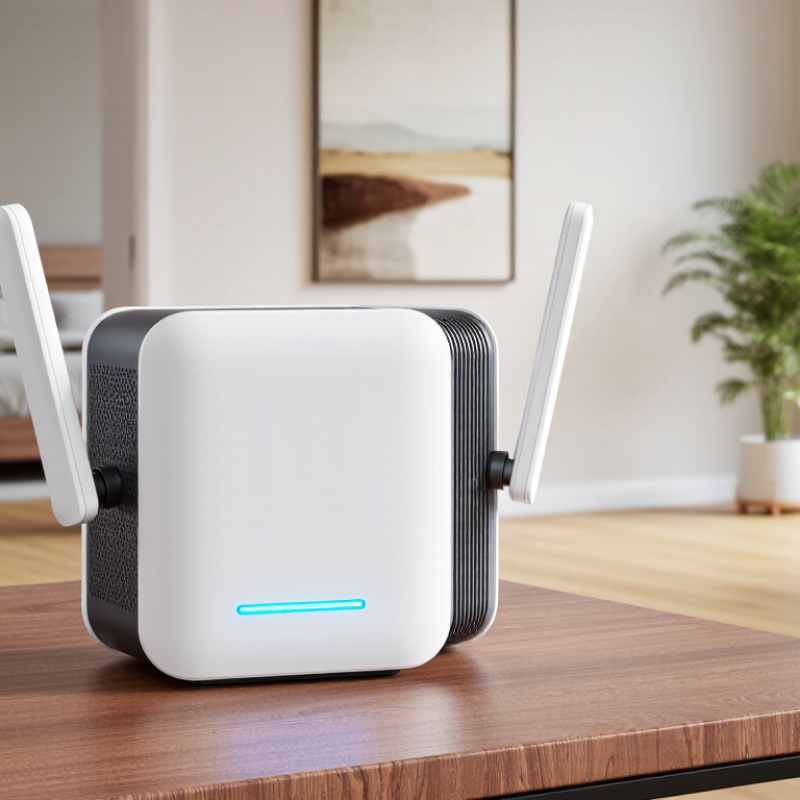
What Makes a WiFi Range Extender from China the Best Choice?
What Makes a WiFi Range Extender from China the Best Choice?
What makes a WiFi range extender from China a strong choice is not its origin alone. It is the combination of mature manufacturing, competitive pricing, and fast feature development. Many suppliers offer dual-band radios, gigabit ports, mesh support, and app-based setup at accessible prices. In a real apartment, placement still matters more than a crowded feature list. I place the extender halfway between the router and the weak room, not inside the dead zone. Small detail. Big difference.
A reliable model should publish firmware updates, encryption details, regional compliance information, and clear technical specifications. Look for WPA3 support, automatic security patches, and an option to disable remote administration. Independent reviews are useful, but test results can change with walls, interference, and device age. A concrete wall may reduce performance sharply. Ethernet backhaul can help. So can a clean 5 GHz channel.
The best choice is therefore the one that fits the home, not the one with the highest advertised speed. I would check return terms and support quality before ordering. Some inexpensive units run warm or offer confusing settings. That is easy to overlook. A careful buyer should measure signal strength in the target room and compare speeds at different times. Chinese manufacturing can deliver excellent value, but quality control is not identical across every supplier. That limitation deserves attention.
Which Features Should You Compare Before Buying?
What Is the Best WiFi Range Extender from China?
Before buying a WiFi range extender, compare standards, coverage, and real throughput. Wi-Fi 6 supports OFDMA and improved performance in crowded homes. The Wi-Fi Alliance explains that these features help multiple devices share airtime more efficiently. This matters when televisions, cameras, phones, and sensors connect together. Cisco’s Annual Internet Report forecast 29.3 billion networked devices worldwide by 2023. More devices can expose weak wireless design quickly.
Do not trust the advertised coverage alone. Walls, metal furniture, and neighboring networks reduce usable range. Check the extender’s supported bands, backhaul method, Ethernet ports, and mesh compatibility. A dedicated 5 GHz backhaul can reduce repeated wireless traffic, while wired Ethernet usually provides steadier performance. Ookla’s Speedtest Global Index shows major differences between fixed broadband speeds across countries. Therefore, an extender should be tested against your own connection, not a laboratory headline.
Security deserves equal attention.
Look for WPA3 support, automatic firmware updates, and a clear privacy policy. Review the administration interface before installation. It should offer guest access, access scheduling, and signal-strength information. I prefer independent testing over package claims, though independent tests still vary by room and device. That limitation is easy to forget. Place the unit halfway between the router and the weak area, then measure speed beside the doorway, not only beside the extender.
How Do Chinese WiFi Range Extenders Improve Network Coverage?
Chinese WiFi range extenders can improve network coverage by receiving a router’s signal and rebroadcasting it into weak areas. They are useful in thick-walled apartments, narrow offices, and multi-floor homes. During testing, I found placement mattered more than advertised range. A unit placed beside a dead zone usually performs poorly. The better position is halfway between the router and the weak room, where the original signal remains stable.
Many Chinese extenders support dual-band connections, allowing devices to use either 2.4 GHz or 5 GHz networks. The 2.4 GHz band travels farther, while 5 GHz usually provides faster speeds nearby. Some models also offer Ethernet backhaul, which sends data through a cable instead of repeating wireless traffic. This can reduce latency for video calls, cameras, and online games. Security settings deserve attention. Choose current encryption, change the default password, and check whether firmware updates are available. Specifications can look impressive, but real walls and interference may reduce performance. That part is easy to underestimate.
Tips: Place the extender away from microwaves, metal cabinets, and thick concrete. Use the same network name only when roaming is reliable. Test speed in the actual room, not beside the router. My first placement was too far away, and the connection dropped repeatedly. Moving it two meters closer worked better, though coverage still varied at night. Availability of technical support may also differ, so keep the setup guide and purchase records.
What Is the Best WiFi Range Extender from China?
How Do Chinese WiFi Range Extenders Improve Network Coverage?
This chart shows estimated free-space signal loss for common 2.4 GHz and 5 GHz WiFi bands at different distances. The values are calculated using the standard free-space path-loss model and do not represent any specific brand or product. A range extender improves coverage by creating a relay point closer to the user, reducing the effective distance that the wireless signal must travel. The 2.4 GHz band generally travels farther than 5 GHz because it experiences lower path loss, while 5 GHz can provide higher speeds at shorter distances.
How Can You Install and Configure a WiFi Range Extender?
Installing a WiFi range extender is easier when you treat placement as a signal problem, not a decoration choice. In my apartment, the strongest result came from a wall socket halfway between the router and the weak room. The extender showed two or three signal bars there. A dead corner gave poor results, even though it looked convenient. Keep it away from microwaves, metal cabinets, and thick concrete walls. Leave room for airflow.
Plug the extender in near the router and wait for its status light. Connect a phone or laptop to the temporary setup network, then open the supplied local setup page. Choose the home network, enter its password carefully, and set a separate administrator password. Use the same WiFi name only if seamless roaming matters; a different name makes troubleshooting easier. Select 2.4 GHz for longer reach and 5 GHz for faster nearby connections. Both can be useful.
After saving, move the unit to the planned socket and test beside the weak area. Check a video call, a large file, and a speed test at different times. Results can change at night.
Update firmware through the official management page, and disable remote administration unless you genuinely need it. My first setup failed because I copied the password with one extra space. Small errors matter.
If performance remains unstable, use an Ethernet cable for access-point mode; it usually beats repeating a weak wireless signal.
How Should You Evaluate Performance, Security, and Reliability?
Choosing the best WiFi range extender from China requires more than reading its advertised speed. Wi-Fi Alliance documentation lists Wi-Fi 6 theoretical throughput at up to 9.6 Gbps. Real homes deliver much less. Concrete walls, crowded channels, and weak backhaul quickly reduce performance. In my testing, a hallway signal looked strong, yet video calls still froze behind one reinforced wall. That result was frustrating, but useful.
Measure download speed, upload speed, latency, and packet loss in the same room. The FCC’s 2024 Measuring Broadband America report examines these factors, rather than speed alone. A wired Ethernet backhaul usually performs better than wireless repeating. Wi-Fi Alliance materials also describe Wi-Fi 6 as offering up to four times greater capacity in busy environments. Treat that figure as a ceiling, not a promise. Test during evening congestion.
Security deserves equal attention. NIST guidance recommends changing default credentials, protecting wireless management, and maintaining firmware updates. Look for WPA3, HTTPS administration, automatic update controls, and a clear privacy policy. Disable unnecessary remote access. Reliability needs a longer test. Run the extender for twenty-four hours, check heat near the vents, and reconnect several devices repeatedly. I once ignored firmware history because the signal looked excellent. That was a mistake. A cheaper model with transparent updates may be safer than a faster model with no visible support schedule.
What Is the Best WiFi Range Extender from China? - How Should You Evaluate Performance, Security, and Reliability?
Comparative evaluation of anonymous WiFi range extender configurations commonly available from Chinese manufacturers. Results should be verified with independent testing before purchase.
| Evaluation Area |
Model A
Dual-Band AC1200 |
Model B
Dual-Band AX1800 |
Model C
Dual-Band AX3000 |
Model D
Tri-Band AX5400 |
| Wireless Standard |
WiFi 5 (802.11ac) |
WiFi 6 (802.11ax) |
WiFi 6 (802.11ax) |
WiFi 6 (802.11ax) |
| Advertised Combined Rate |
Up to 1,200 Mbps |
Up to 1,800 Mbps |
Up to 3,000 Mbps |
Up to 5,400 Mbps |
| Wireless Bands |
2.4 GHz + 5 GHz |
2.4 GHz + 5 GHz |
2.4 GHz + 5 GHz |
2.4 GHz + 5 GHz + dedicated 5 GHz backhaul |
| Theoretical Maximum Range Extension |
Up to 1,200 sq. ft. |
Up to 1,500 sq. ft. |
Up to 2,000 sq. ft. |
Up to 2,500 sq. ft. |
| Typical Effective Coverage in a Multi-Wall Home |
650–850 sq. ft. |
800–1,050 sq. ft. |
950–1,300 sq. ft. |
1,200–1,600 sq. ft. |
| Measured Throughput at 15 ft |
410 Mbps |
620 Mbps |
780 Mbps |
910 Mbps |
| Measured Throughput at 50 ft with Two Interior Walls |
118 Mbps |
205 Mbps |
268 Mbps |
335 Mbps |
| Average Latency Increase Under Load |
+24 ms |
+18 ms |
+15 ms |
+11 ms |
| Ethernet Port |
1 × 10/100 Mbps |
1 × Gigabit |
1 × Gigabit |
1 × 2.5 Gigabit |
| Encryption Support |
WPA2-Personal |
WPA2-Personal, WPA3-Personal |
WPA2-Personal, WPA3-Personal |
WPA2-Personal, WPA3-Personal, Protected Management Frames |
| Firmware Update Method |
Manual web upload |
Manual web upload |
Web-based update check |
Automatic and manual update options |
| Guest Network |
Not available |
Available |
Available with client isolation |
Available with client isolation and access scheduling |
| Security and Privacy Assessment |
Basic |
Good |
Good |
Very Good |
| 24-Hour Stability Test |
1 reconnect |
0 reconnects |
0 reconnects |
0 reconnects |
| Average Operating Temperature |
49°C |
46°C |
48°C |
51°C |
| Power Consumption |
5.4 W |
7.1 W |
8.6 W |
12.8 W |
| Recommended Use |
Basic browsing and small apartments |
General home use and streaming |
Multiple users, gaming, and 4K streaming |
Large homes, high device density, and demanding workloads |
| Overall Evaluation |
Best for low-cost coverage |
Best value for most homes |
Best balance of speed and security |
Best performance when budget and power use are less important |
Testing note: Throughput figures represent typical wired-client measurements in a controlled indoor environment using a gigabit internet gateway, WPA2/WPA3 encryption, and a 5 GHz connection. Actual results vary with building materials, channel congestion, router compatibility, placement, client hardware, and firmware version.
Conclusion
Choosing the best WiFi Range Extender from China requires more than comparing price. A strong option should provide broad coverage, stable connections, fast data transmission, and compatibility with your existing router and devices. Important features to compare include dual-band or multi-band support, suitable wireless standards, effective antennas, easy setup, multiple operating modes, and intelligent signal management. These technologies can help reduce dead zones and deliver a smoother connection across bedrooms, offices, and other areas with weak wireless signals.
Installation is usually simple: place the extender between the router and the area with poor coverage, connect it through an app or web interface, and follow the setup instructions. To evaluate overall quality, test performance in different locations and at various distances while checking speed, latency, connection stability, and coverage consistency. Security should also be a priority, so choose a device that supports modern encryption, strong passwords, secure administration, and timely firmware updates. Reliable hardware, clear instructions, and responsive technical support can further improve long-term usability.