0%

Fast charging can turn a low battery into a usable one during a short coffee break. But the connector shape alone does not determine charging speed. A Fast Charging USB Cable must work with the charger and device, while supporting the required power level and charging protocol. Labels matter.

USB-IF president Jeff Ravencraft described USB Type-C as “a new, reversible connector.” That distinction is useful: USB-C names the connector, not a guaranteed charging speed. This guide compares common options, including USB-C-to-USB-C cables for USB Power Delivery, USB-A-to-USB-C cables for compatible older chargers, and higher-power cables designed for demanding devices. Some USB-C cables also include an e-marker chip, which helps compatible equipment identify the cable’s power capabilities. Check the ratings, not just the packaging.

Construction can matter for daily use, too. A braided jacket may resist scuffs, while a flexible cable may sit more neatly beside a phone on a desk. Neither feature proves that a cable charges faster. Not quite. Actual performance depends on the complete charging setup, and product labels can be confusing. That is worth admitting: even a carefully chosen cable may not deliver the expected speed when paired with an incompatible charger or device. The sections ahead explain what each cable type does, which details deserve attention, and how to choose based on real charging needs rather than bold claims.
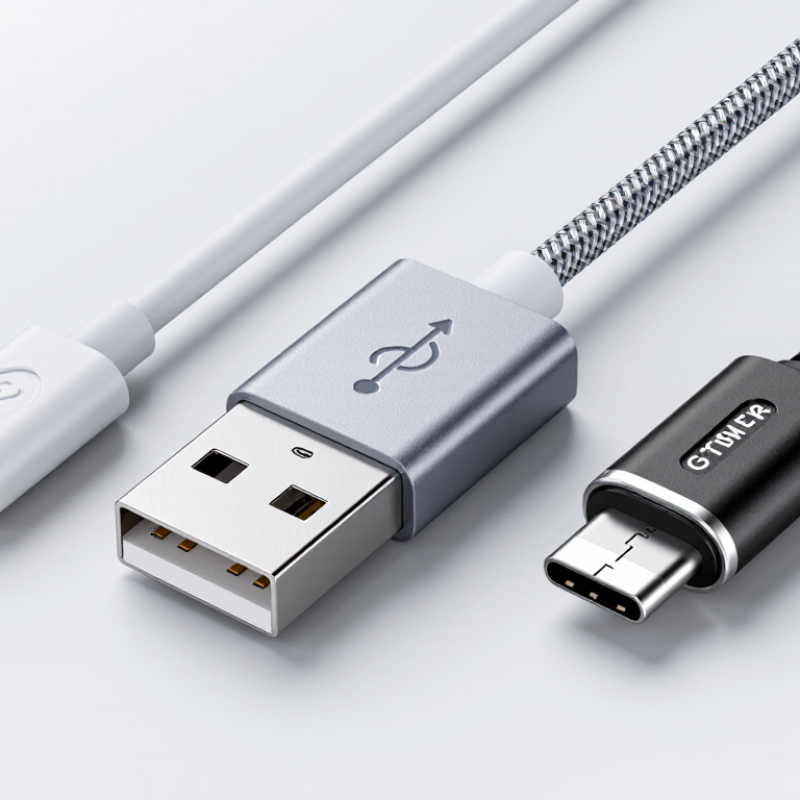
What Are the Top Types of Fast Charging USB Cables?

USB-C Fast-Charging Cable Basics

USB-C identifies the connector, not the cable’s charging speed. A fast-charge setup depends on the cable, charger, and device working within shared power limits. The lowest-rated part sets the ceiling. Check the cable’s printed rating or product specifications, especially for current and supported wattage. A basic 3-amp cable suits many everyday devices, while higher-power charging may require a 5-amp cable with an electronic marker. Connector fit alone proves very little.

Easy to miss.

Charging speed and data speed are separate features. A cable that transfers files slowly may still charge well, and the reverse can also be true. For a practical check, read the small print before connecting a laptop or tablet to a high-wattage charger. Longer or poorly made cables can also lose more voltage, so length and construction matter. I still find cable labels confusing at a glance; clear specifications are more useful than a “fast” claim by itself. Keep the cable untangled, inspect its ends for wear, and replace it if the connector feels loose or the jacket is split.

How Power Delivery Works in USB-C Cables

Power Delivery, or PD, lets USB-C devices negotiate how much power to use. A charger and device exchange information through the cable before charging begins. They agree on a suitable voltage and current, rather than simply sending maximum power at once. The result can be faster charging, when every part supports the same requirements.

The cable matters. Basic USB-C cables handle common charging levels, while higher-power cables may include an electronic marker, called an e-marker. This chip tells connected devices what the cable can safely carry. For example, a cable rated for higher power can support a compatible charger and laptop more reliably than an unrated cable. Check the cable’s stated wattage, not just its connector shape.

Compatibility is a small chain: charger, cable, and device. The weakest link usually limits charging speed. A phone may draw less power than a laptop, even with a powerful charger attached. That is normal. Keep cables in good condition, and stop using one with a split jacket or loose plug. Standards can feel confusing, and labels are not always clear. I’ve found that checking the device’s charging specifications is more useful than guessing from cable thickness. Real charging speed also changes with battery level, temperature, and device use.

Types of USB-C Cables by Power Rating

USB-C charging cables are commonly grouped by power rating: 60W, 100W, and up to 240W. A 60W cable typically supports 3A charging, suitable for many phones and smaller tablets. For laptops, a 100W cable generally needs 5A capability. The USB Implementers Forum’s USB Power Delivery 3.1 specification raises the maximum supported power to 240W using Extended Power Range (EPR). That matters. A cable’s connector shape alone does not confirm its power capacity.

At 240W, choose a cable explicitly rated for EPR and 5A, with an electronic marker chip that communicates its capabilities. USB-IF’s USB PD 3.1 announcement describes the 240W extension, but real charging speed still depends on the charger and device. A high-rated cable cannot make a 30W phone accept 100W. Ratings can also be easy to overlook; I’ve seen cables that look identical but support very different loads.

Tips: Check the printed rating or product specifications, especially for laptop charging. For 100W or 240W, verify 5A support and the required electronic marker. Keep cable runs short and inspect connectors for looseness or damage.

What Are the Top Types of Fast Charging USB-C Cables? - Types of USB-C Cables by Power Rating
Cable Type Current Rating Potential Maximum Power Typical Uses Key Details
Standard USB-C cable Up to 3 A Up to 60 W at 20 V with USB Power Delivery Phones, tablets, and smaller USB-C devices A common choice for everyday charging. Actual power depends on the cable, charger, device, and supported charging protocol.
5 A USB-C cable with an e-marker Up to 5 A Up to 100 W at 20 V with USB PD SPR Laptops, tablets, and other higher-power devices A 5 A cable requires an electronic marker (e-marker) so compatible equipment can identify its current capability.
USB-C EPR cable Up to 5 A Up to 240 W at 48 V with USB PD 3.1 EPR High-power laptops, displays, and compatible equipment Requires an EPR-rated cable and compatible charger and device. Not every 5 A cable supports EPR power levels.
Note: Power figures are maximums for compatible USB Power Delivery configurations. Charging speed is determined by the capabilities of the cable, power source, device, and charging protocol. Data-transfer speed is a separate cable specification and cannot be inferred from its power rating.

Differences in Charging Speed and Data Transfer

USB-C describes the connector, not a cable’s charging speed or data rate. A basic charging cable may deliver power but transfer files slowly. USB-IF’s USB Power Delivery 3.1 specification supports up to 240W, while actual charging depends on the cable, charger, and device. For higher-power charging, check that the cable’s stated wattage matches your equipment. A fast-looking cable proves little.

Data performance varies just as much. USB-IF’s USB 3.2 specification includes rates up to 20Gbps, and USB4 Version 2.0 reaches up to 80Gbps under supported configurations. Those figures describe interface capabilities, not guaranteed real-world transfer speeds. A phone, computer port, or storage device may become the bottleneck. That matters. A cable made for high-wattage charging may still offer basic data transfer, so check both ratings before buying. It is easy to overlook this distinction.

Tips: Match the cable’s wattage to your charger and device, then check its listed data rate separately. For large photo folders, use a cable rated for high-speed data; for overnight charging, power rating may matter more. Read the fine print. Specifications can be confusing, and I would verify the exact cable rating rather than rely on the USB-C plug alone.

Matching Cable Types to Devices and Chargers

What Are the Top Types of Fast Charging USB Cables?

Matching Cable Types to Devices and Chargers

A USB-C to USB-C cable is usually the best match for a USB-C charger and a modern phone, tablet, or laptop. Both ends fit the ports, and compatible devices can negotiate USB Power Delivery. The actual charging speed still depends on the device and charger. A powerful cable cannot make a device accept more power than it supports.

For an older charger with a rectangular USB-A port, use a USB-A to USB-C cable. It can charge many USB-C devices, but may not support the same fast-charging standards or power levels as a USB-C to USB-C setup. Check the charger’s output and the device’s specifications. Connector shape alone tells you very little.

For higher-power laptops, choose a cable rated for the charger’s output. Some cables need an electronic marker chip to safely identify support for higher current. Look for a clear wattage rating, not just “fast charge” on the packaging. Small details matter. I’ve found cable labels surprisingly easy to overlook, and they are not always clear. When charging remains slow, test a known-compatible cable and check whether the charger shares power across multiple ports.

FAQS

Does a USB-C connector guarantee fast charging?

No. It describes the plug, not the cable’s power rating. Check the cable, charger, and device specifications.

How can I choose a cable for a laptop?

Match its stated wattage to the charger and laptop. Some higher-power cables use an electronic marker chip. Check the label carefully.

Will every USB-C cable transfer files quickly?

No. Some cables charge well but transfer data slowly. Look for the listed data rate before moving large photo folders.

What do advertised data rates actually mean?

They describe supported interface capabilities, not guaranteed real-world speeds. Your computer port or storage device may be the bottleneck.

Is USB-C to USB-C always the best choice?

It usually suits modern devices and USB-C chargers. Actual charging speed still depends on what both devices support.

Can I use a USB-A to USB-C cable?

Yes, with a charger that has a rectangular USB-A port. It may not support the same power levels as USB-C to USB-C.

Why might a compatible device charge slowly?

The charger may have limited output, or several ports may share power. Try a known-compatible cable. I still double-check the labels.

Which cable matters more for overnight charging?

Its power rating may matter more than its data rate. For large file transfers, choose a cable rated for high-speed data. Small details count.

Conclusion

Fast Charging USB Cable technology enables devices to receive power more quickly when the cable, charger, and device are compatible. In USB-C charging, Power Delivery helps the connected equipment negotiate an appropriate level of power. The cable’s design and rated capacity affect how much power it can safely support, so cables may differ in their suitability for everyday phones, tablets, or higher-powered devices.

Charging speed is only one consideration: USB-C cables also vary in data-transfer capability, and a cable designed for high power may not offer the same data performance as another type. To choose the right cable, check the power requirements of the device and charger, then select a cable rated to meet those needs. Matching all three helps support reliable charging and the intended transfer speeds.

Marissa

Marissa

Marissa is a dedicated marketing professional with a deep understanding of the company’s products, customers, and evolving market needs. With a strong background in content strategy, product communication, and audience research, she regularly contributes expert articles to the company’s......