Power & Positioning
Plug the extender into an AC wall socket located near your host router during initial pairing. Wait 20–30 seconds for the WLAN indicator LED to flash steadily.

Engineered for seamless network extension, the PunnkFunnk 300Mbps Wireless Extender eliminates coverage dead zones in commercial, retail, and residential environments. Follow our technical deployment procedures below.
Plug the extender into an AC wall socket located near your host router during initial pairing. Wait 20–30 seconds for the WLAN indicator LED to flash steadily.
On your configuration terminal (Smartphone, Tablet, or PC), search for available Wi-Fi networks and select the default unencrypted network SSID: Wireless-N or PunnkFunnk_Extender.
Open any web browser and type 192.168.10.1 into the address bar. Enter the default administrator credential (Username: admin / Password: admin) to access the management interface.
Select Repeater Mode in the quick setup wizard to wirelessly relay existing signals, or select AP Mode if connecting directly via an RJ45 Ethernet cable backbone.
Scan for host 2.4GHz SSIDs, select your target network, and input the precise security key (WPA/WPA2 password) of your main router. Keep default SSID or append _EXT.
Once reboot completes, move the repeater halfway between the router and the weak signal zone. Ensure the Signal LED displays solid green/blue for optimal link margin.
Understanding hardware mode selection helps enterprise clients, ISP distributors, and telecom buyers deploy hardware efficiently across varied infrastructure setups.
| Operational Mode | Primary Use Case | Data Backhaul Path | DHCP Handling | Performance Efficiency |
|---|---|---|---|---|
| Wireless Repeater Mode | Eliminating dead zones without installing new physical cables. | Wireless 2.4GHz RF Link | Passed to Host Router | Relays signal; ~50% radio time-slice overhead. |
| Access Point (AP) Mode | Transforming wired Ethernet outlets into high-speed Wi-Fi zones. | Cat5e / Cat6 RJ45 Cable | Bridge / Managed Dynamic | 100% full radio throughput bandwidth retention. |
| Client / Bridge Mode | Connecting wired-only hardware (Smart TVs, IP Cameras) to Wi-Fi. | Wireless to Ethernet Port | Assigned by Host Network | Ultra-low latency for dedicated terminal devices. |
View step-by-step visual configuration instructions recorded directly on standard production hardware.
Field connectivity issues are typically related to placement, physical barriers, or subnet misconfigurations rather than hardware faults. Follow these field-tested guidelines:
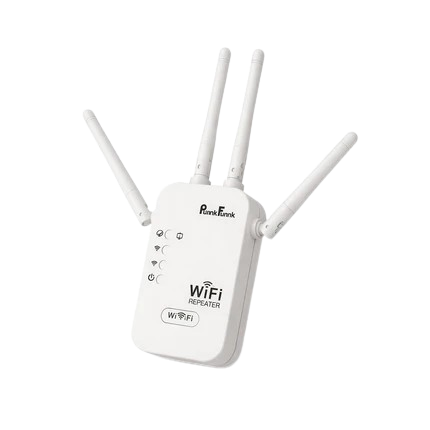
The 300Mbps rating refers to the maximum theoretical physical layer data rate defined by the IEEE 802.11n 2x2 MIMO specification. Actual user throughput is subject to wireless protocol overhead, signal attenuation through walls, and half-duplex radio re-transmission overhead in Repeater Mode.
Yes. PunnkFunnk provides turnkey manufacturing solutions for global distributors and brand owners. Our customization options include custom firmware branding, localized web GUI administration interfaces, pre-set network parameters, custom chassis silk-screening, regional AC plug adapters (EU, US, UK, AU), and certified retail packaging.
PunnkFunnk wireless range extenders are fully compliant with universal IEEE 802.11 b/g/n wireless protocols. They interoperate seamlessly with standard commercial routers, telecom gateways, and mesh nodes operating on the 2.4GHz frequency band.
Looking for volume pricing, custom firmware integration, or technical product documentation? Connect directly with our international engineering & sales team.
Send an Inquiry